PhotoCraft and the Crafting Apps: free, open source Photoshop, Premiere and Office, explained simply
Key takeaways
- Developer Brandon Thomas and ArtCraft used Claude Opus 5.5 to rebuild Photoshop, Lightroom, Premiere, Illustrator, Office and more as free, open source apps in Rust.
- PhotoCraft, the Photoshop-style editor, opens real PSD files and gathered over 55,000 GitHub stars in two weeks. Its own team rates it about 45% ready for professional work.
- Reviewers found VectorCraft and PdfCraft the most convincing so far, and agree none is ready to replace Adobe for paid work yet.
- They're free under MIT and Apache 2.0, run on Mac, Windows, Linux and in a browser, and need no account. Test them on copies of your files.
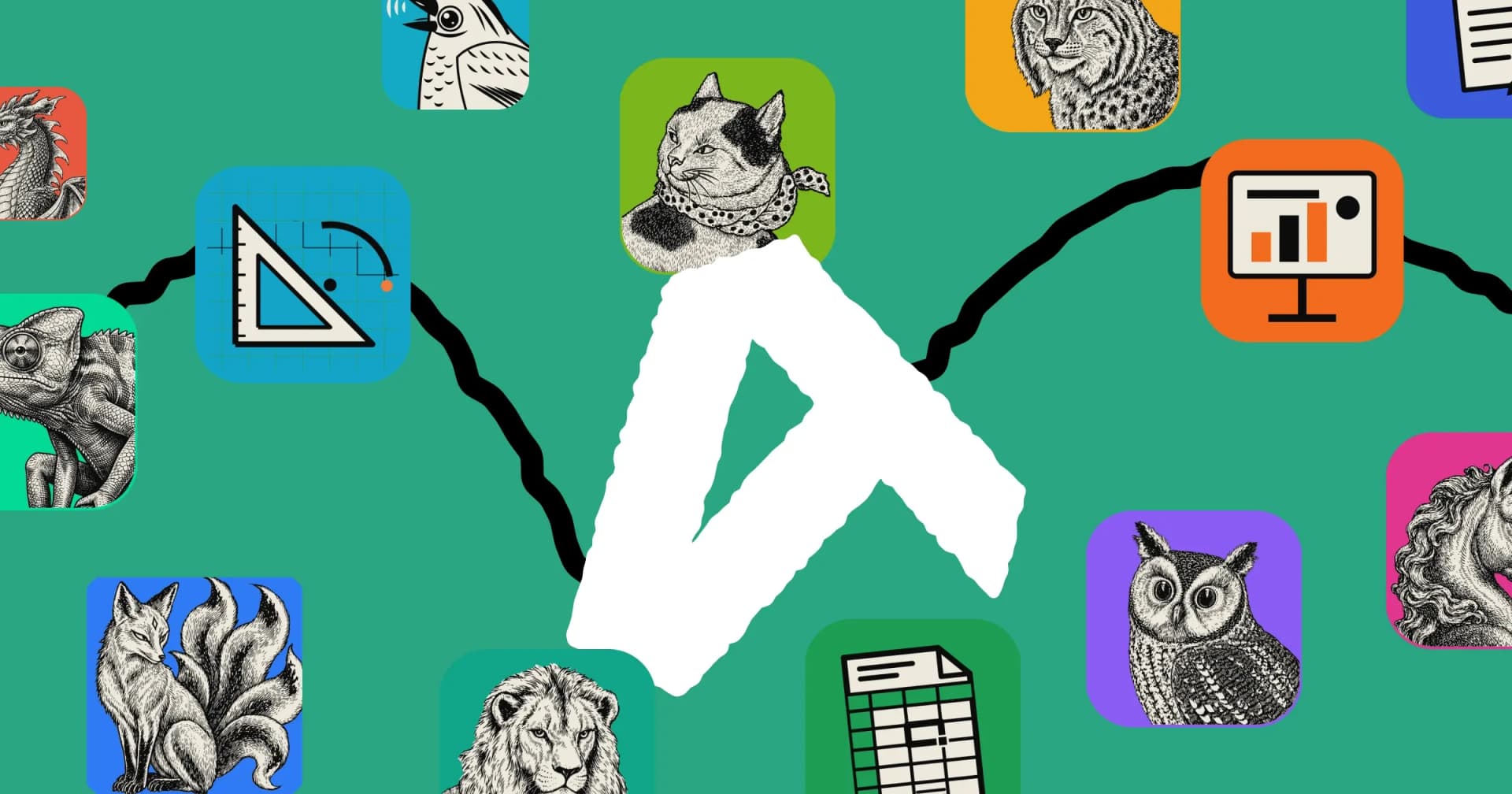
In the first two weeks of October 2026, one developer put free, open source versions of Photoshop, Lightroom, Premiere, Illustrator, After Effects, InDesign, Acrobat, Word, Excel, PowerPoint and more on GitHub. They're called the Crafting Apps, they come from a company called ArtCraft, and together they've picked up more than 135,000 GitHub stars. The star of the show is PhotoCraft, a Photoshop-style editor that gathered more than 55,000 stars in its first two weeks. Here's what they are, who made them and how, what reviewers found when they tried them, and whether they're worth your time.
The short version
ArtCraft is rebuilding the tools creative people pay for every month as free apps anyone can download, read and change. Each one is written from scratch in Rust, a fast and modern programming language, and runs as a native app on Mac, Windows and Linux, and in a web browser. They copy the layout and shortcuts of the apps they're modelled on, so you don't have to relearn everything. And they're all free under open source licences, with no account and no subscription.
The catch: they're very new. Even PhotoCraft, the most talked-about, is in early alpha, and most of the others are only days old. Reviewers agree they're impressive for their age but not yet ready to replace the paid apps for professional work.
Who made them, and why
The Crafting Apps come from Brandon Thomas, a developer with about 15 years in the industry who runs ArtCraft, a company that already sells an AI image and video studio. According to TweakTown, his main motivation was Adobe's cancellation fees: he was, in his words, "bit by the dark pattern cancellation fee one too many times."
The apps are free to download, and ArtCraft pays for their development with its existing business: selling credits for AI image and video generation. The apps are being built so those AI tools can plug in later, but ordinary editing needs no account and nothing to pay.
Thomas has been bold about where this is heading. In one comment he declared that "software is over," and on Reddit he first promised full feature parity with Adobe within a month. On Hacker News he later softened that to around 99% within months rather than years.
Built by AI, in weeks
The most remarkable part of the story is how the apps were made. Thomas says he built them with Anthropic's Claude Opus 5.5, an AI coding assistant, working through thousands of small changes. PhotoCraft alone had more than 1,000 merged changes in its first two weeks, and its roadmap measures the remaining work in "agent hours" rather than developer hours.
The team calls each app a clean-room rebuild: written from public file specifications and by observing how the original behaves, without copying Adobe's or Microsoft's code. Every app also comes with an MCP server, so an AI assistant like Claude can drive it directly, opening files, running commands and exporting results.
The apps so far
Each app copies one well-known paid program. The percentages are the team's own estimates of how close each one is to replacing the original for real work; nobody has checked them independently.
- PhotoCraft, like Photoshop: layers, masks, type, filters and real PSD files. About 45% ready.
- LightCraft, like Lightroom: a photo library with non-destructive raw photo editing. About 61% ready overall.
- FilmCraft, like Premiere Pro: video editing, colour and sound. About 56% ready.
- EffectCraft, like After Effects: motion graphics and visual effects. About 45% ready.
- VectorCraft, like Illustrator: vector illustration and logos. About 65% ready, the highest of the family.
- DesignCraft, like InDesign: page layout for print and publishing. About 47% ready, still pre-alpha.
- PdfCraft, like Acrobat: reading, organising, filling and protecting PDFs. About 55% ready for everyday work.
- WordCraft, GridCraft and DeckCraft, like Word, Excel and PowerPoint. About 60%, 50% and 55% ready.
- CADCraft, like AutoCAD: technical drawing and design. About 38% ready, still pre-alpha.
- SoundCraft, like Pro Tools: recording and mixing audio. About 40% ready, still pre-alpha.
- FigCraft, like Figma: interface design and prototyping. About 49% ready, and the newest, started on 9 October.
A small Craft Launcher app helps you find and install them. ArtCraft's original product, an AI studio for images and video also called ArtCraft, has been around since 2022.
What reviewers say
The apps have had wide coverage in their first two weeks. Here's what people who actually tried them found.
- OMG! Ubuntu tried PhotoCraft on Linux and found it closer to Photoshop than other look-alikes, with menus, shortcuts and tools in familiar places. It started very fast and stayed responsive even on a weak laptop. But blend modes, filters and content-aware tools don't give the same results as Adobe's, leaving it "some way off feeling like it's Photoshop." Memory use reached about 5 GB a few minutes after opening a large PSD.
- Popular AI tested all seven creative apps with real files. It found VectorCraft the strongest for self-contained work like logos, icons and SVGs, and PdfCraft the most convincing replacement for everyday PDF jobs. PhotoCraft handled everyday editing well but struggled with complex PSDs going back to Photoshop. FilmCraft and EffectCraft can't open native Adobe projects, and DesignCraft wasn't ready for real publications. Its verdict: "not yet for most professional users."
- PhotographyTalk expects LightCraft to be the one photographers try first, since it runs locally with no account, cloud or subscription and follows Lightroom's develop tools closely. It warns that raw support is broad but uneven: Canon CR3 files and some compressed Fujifilm and Olympus raws open only as previews for now.
- TweakTown reported the launch under a headline quoting his "software is over" line, and noted that early users flagged problems with basic editing, keyboard shortcuts and performance, and that Content-Aware Fill isn't there yet.
- Phoronix pointed out that clean-room rebuilds of Adobe's flagship apps could still face legal challenges, a point PhotographyTalk and TweakTown also raised because Adobe holds thousands of software patents.
What's good about them
- They feel familiar. PhotoCraft copies Photoshop's menus, tools and shortcuts closely, so years of muscle memory still work. The office apps do the same for Word, Excel and PowerPoint.
- They open the files you already have. PhotoCraft opens real Photoshop files with their layers, and reads Affinity, Krita, Paint.NET and iPhone photos too. WordCraft, GridCraft and DeckCraft open and save .docx, .xlsx and .pptx.
- They're fast, native apps. No web page wrapped in a window, and no waiting for the cloud.
- They're private. Everything runs on your computer. Even PhotoCraft's smart "select the subject" tool works offline, with no account.
- AI assistants can use them. Every menu item is also a command, so an assistant like Claude can drive them through MCP, or you can batch-edit a folder of files from a script.
- They're truly open. The code is free to use, change and share under the MIT and Apache 2.0 licences, including at work.
- They run on Linux. That's rare for Photoshop-style tools, and reviewers called it out as a real plus.
What to watch out for
- They're not ready to replace the paid apps at work. Every reviewer above agrees, and so does the team: PhotoCraft's own roadmap says it isn't yet a Photoshop replacement for daily professional work.
- Saving back to Adobe isn't reliable yet. PhotoCraft opens PSD files well, but Photoshop doesn't always accept the files it saves, and the video apps can't open Premiere or After Effects projects. Keep your originals.
- Expect bugs. New versions arrive almost every day, and PhotoCraft alone has more than a thousand open issues.
- They need memory. Large files can use several gigabytes of RAM, much like the real Photoshop.
- Legal questions are open. The apps contain no Adobe or Microsoft code, but software patents could still become an issue. Nobody knows yet how the big companies will respond.
- The AI features will cost money. Editing is free, but AI image and video generation, when it arrives in the apps, will use paid credits.
What you could save
For comparison, Popular AI listed Adobe's US prices in October 2026: Creative Cloud Standard at about $55 a month (around $660 a year), the Photography plan at about $20 a month, and Premiere on its own at about $23 a month. Microsoft 365 is also a yearly subscription. If the Crafting Apps cover what you need, the saving is real. But as Popular AI pointed out, "free" can get expensive if file problems cost you hours on paid work, so test first.
How to try them safely
- Go to getartcraft.com and download PhotoCraft, or browse the other Crafting Apps. PhotoCraft also has installers for every system on its GitHub releases page.
- Work on copies of your files, not the originals, especially PSDs and raw photos from real jobs.
- Try the things you do every week: layers and adjustments in PhotoCraft, a raw edit in LightCraft, a short cut in FilmCraft, or a form in PdfCraft.
- If something breaks, the team asks you to report it on GitHub or their Discord, with your computer type and a screenshot.
Who should try them now
- Hobbyists and students who want Photoshop-style tools without a subscription.
- Linux users, who rarely get native apps like these.
- Anyone who works with SVGs or PDFs, where VectorCraft and PdfCraft are already the most convincing.
- Developers and AI tinkerers, who can drive every app from scripts or an AI assistant.
Should you switch?
Not yet, if your income depends on it. For dependable free tools today, GIMP and Krita for images, darktable for raw photos, Inkscape for vectors and LibreOffice for documents are mature and proven. But if you're curious, the Crafting Apps are already impressive for something only weeks old, and they're improving every day. If ArtCraft keeps this pace, free alternatives to the big creative suites could get much better, much faster than anyone expected.
Frequently asked questions
Is PhotoCraft really free?
Yes. PhotoCraft and the other Crafting Apps are open source under the MIT or Apache 2.0 licence. There's no account and no subscription for editing, and you can use them at work. ArtCraft plans to charge only for AI image and video generation.
Can PhotoCraft replace Photoshop?
Not yet for professional work. Its own team says it's about 45% ready for real work, reviewers found its results differ from Photoshop's, and Photoshop doesn't always accept the PSD files it saves. For everyday edits and trying it out, it's already capable.
Who made the Crafting Apps?
Brandon Thomas, a developer with about 15 years in the industry who runs ArtCraft, a company that also makes an AI image and video studio. He says he built the apps with Anthropic's Claude Opus 5.5.
Does it use Adobe's code?
No. The apps are clean-room rebuilds, written from public file specifications and by observing how the originals behave. They copy the layout and shortcuts, not the code. Some commentators have still raised questions about software patents.
Which of the apps is best right now?
In Popular AI's hands-on tests, VectorCraft was the strongest for self-contained vector work like logos and SVGs, and PdfCraft the most convincing for everyday PDF jobs. PhotographyTalk expects LightCraft to be the one most photographers try first.
Which computers do they run on?
Mac (Apple silicon and Intel), Windows (including ARM), Linux and FreeBSD. Each app also has a web version that runs in a modern browser.
More from the Journal
Related projects
PhotoCraft
72.8k GitHub starsA free, open source photo editor that works like Photoshop: layers, masks, type, filters and real PSD files. Runs on Mac, Windows, Linux and in your browser.
LightCraft
14.6k GitHub starsA free, open source photo library and raw photo editor that works like Lightroom. Non-destructive edits, masks and presets, on your own computer.
FilmCraft
16.3k GitHub starsA free, open source video editor that works like Premiere Pro: timeline editing, colour grading, effects, titles and audio. Mac, Windows and Linux.
PdfCraft
17.8k GitHub starsA free, open source PDF app that works like Acrobat: read, search, combine, split, comment on, fill and protect PDFs. Private, offline, no account.
WordCraft
16k GitHub starsA free, open source word processor that works like Microsoft Word: the ribbon, styles, tables, track changes and real .docx files. Mac, Windows, Linux.
GridCraft
6.5k GitHub starsA free, open source spreadsheet app that works like Excel: the ribbon, 500+ formulas, charts and real .xlsx files. Mac, Windows, Linux and the browser.
DeckCraft
4.3k GitHub starsA free, open source presentation app that works like PowerPoint: themes, charts, animations, presenter view and real .pptx files. Mac, Windows, Linux.
VectorCraft
10.7k GitHub starsA free, open source vector illustration app that works like Illustrator: Pen tool, Pathfinder, artboards and SVG, PDF and .ai files. Mac, Windows, Linux.
EffectCraft
7.9k GitHub starsA free, open source motion graphics and visual effects app that works like After Effects: layers, keyframes, 300+ effects, 3D and pro exports.
DesignCraft
4.8k GitHub starsA free, open source page layout app that works like InDesign: spreads, parent pages, text frames, IDML files and print-ready PDF. Mac, Windows, Linux.
CADCraft
6.8k GitHub starsA free, open source CAD app that works like AutoCAD: the command line, object snaps, layers, dimensions, blocks and DXF and DWG drawings.
SoundCraft
3.7k GitHub starsA free, open source audio workstation that works like Pro Tools: multitrack recording, editing, a full mixer, plug-ins, MIDI and automation.
FigCraft
3.5k GitHub starsA free, open source interface design app that works like Figma: frames, auto layout, components, prototypes and Dev Mode. Your files stay on your computer.